

Smart Life Blog

INSIGHTS & INNOVATIONS

Latest industry updates, health wearable trends, and kids safety technology guides from iTIME.

0%

Choosing a Childrens Smart Wearable Device means balancing useful features with a child’s age, routines, and growing independence. The market can make every model look essential. Most families need only a few dependable functions, such as clear calling, location sharing, and a comfortable fit. Battery life matters, too: a watch that needs charging halfway through a school day may quickly become frustrating.

Trusted research offers context, though it does not identify one perfect device. Pew Research Center’s 2024 report, Teens, Social Media and Technology, found that 95% of U.S. teens had access to a smartphone. Common Sense Media’s 2021 Census reported average daily entertainment screen use of 5 hours and 33 minutes among U.S. tweens. These figures are not specific to children’s watches. Still, they underline why families should consider screen habits, not just flashy features. More technology is not automatically better.

A thoughtful comparison should check contact controls, location-update limits, data practices, durability, and ongoing subscription costs. Ask whether the child can manage the device without constant adult help. Check the return policy and test the fit against a small wrist. GPS can help families coordinate, but it should not be treated as a guarantee of safety. No device is perfect. Even a highly rated watch may be wrong for a child who dislikes wearing it or a family that cannot maintain its settings. The best choice is the one that fits real routines, protects privacy, and earns the child’s trust.
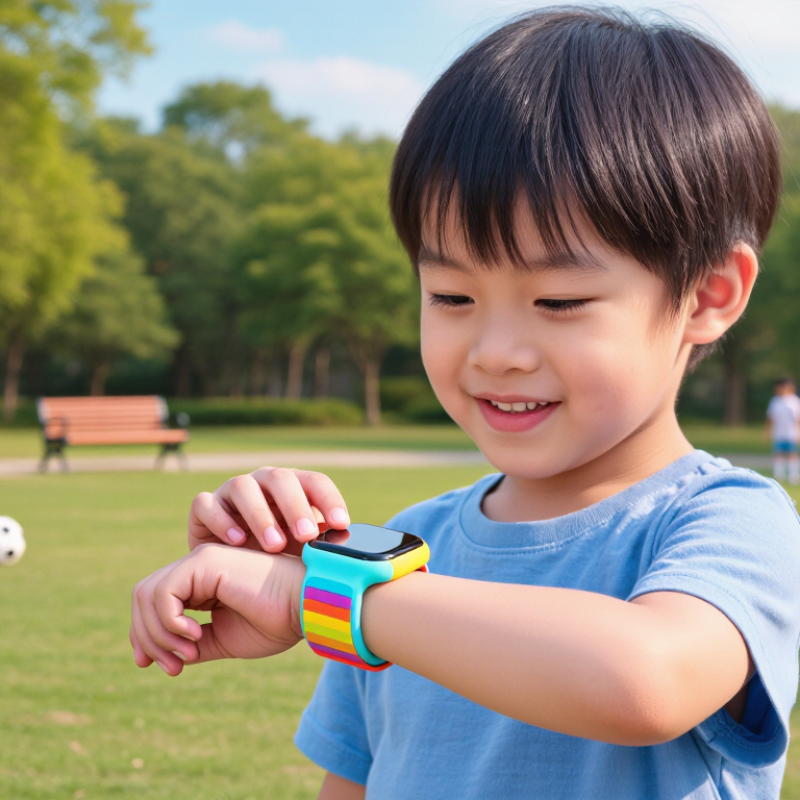
How to Choose the Best Childrens Smart Wearable Device

Identify the Child’s Needs and Intended Use

Choosing a children’s smart wearable starts with a specific need, not a list of features. Ask what should improve: easier check-ins, more daily movement, or a simple routine reminder? Start with one question. A child walking home from an activity may value reliable calling and location sharing. A younger child may benefit more from a comfortable band that records steps and gives gentle reminders. Involve the child; a device left in a drawer solves nothing.

Match the features to the child’s age, habits, and comfort. The World Health Organization’s 2020 guidelines recommend an average of at least 60 minutes of moderate-to-vigorous activity daily for ages 5–17. An activity tracker can make movement visible, but its counts are estimates, not a health assessment. For sleep-related features, CDC guidance recommends 9–12 hours for children aged 6–12 and 8–10 hours for teens. A wearable cannot replace consistent bedtime habits.

Think through ordinary moments: Can the child use the controls with small hands? Will notifications interrupt class or bedtime? Does location sharing serve a real, agreed purpose? Check what information the device collects, who can view it, and whether unnecessary features can be turned off. This part is easy to overlook. I would also ask the child what feels useful or uncomfortable; adults can misread a child’s needs, and no feature list fixes that.

Compare Wearable Types and Core Features

Children’s wearables usually fall into three groups: GPS watches, activity bands, and small locator tags. GPS watches can offer calling, location sharing, and an emergency button. They need regular charging and may require a service plan. Activity bands focus on steps, sleep, and movement, with fewer communication tools. Locator tags are smaller and lighter, though they may depend on a nearby phone network rather than support direct calls. Less to manage.

When comparing devices, check battery life with location services enabled, not just the stated estimate. Try the strap on a small wrist; stiff edges can rub during recess. A clear screen, simple menus, adjustable alerts, and suitable water resistance can matter more than a long feature list. Ask who can view location data, how long it is stored, and whether sharing can be paused. Connectivity may fail indoors or in crowded areas. That matters.

For an independent walk to school, calling and location tools may help. A light activity band can feel less distracting during sports. Test charging and setup before relying on any device. I would prioritize comfort and a battery that lasts through the day over extra games. Still, families can overvalue maps. A location reading is not certainty.

Evaluate Safety, Privacy, and Age Appropriateness

How to Choose the Best Childrens Smart Wearable Device
Evaluate Safety, Privacy, and Age Appropriateness

A child’s wearable should support independence without pretending to replace adult care. Check how it handles location sharing, approved contacts, and emergency alerts. Ask whether location history can be limited or deleted, and whether the microphone or camera can be disabled. A small screen can still collect a lot. Pew Research Center reported in 2024 that 95% of U.S. teens had access to a smartphone, while 46% said they were online almost constantly. That finding describes teens, not wearable use, but it shows why connected features deserve careful boundaries. I would not assume a child understands what location sharing means just because they can use the device.

Age and everyday routines matter. For a younger child, large buttons, simple calls, and a comfortable, secure strap may matter more than games. For an older child, discuss when tracking is useful and who can view it. Check the privacy settings together, using the actual menus, not just the product description. Also check charging needs and skin comfort; a device left in a drawer is not much help.

Tips: Set up only essential contacts and alerts. Turn off features you do not need, review permissions monthly, and practice what your child should do if the device is lost. Keep expectations realistic: batteries run down, signals fail, and an alert may not arrive immediately.

How to Choose the Best Children’s Smart Wearable Device

Suggested decision weights for comparing a child-focused wearable. Prioritize safety, privacy, and age appropriateness when reviewing features and settings.

These percentages are a practical comparison framework, not measured research results or ratings of any product. Check applicable age requirements and privacy terms before purchase; parental involvement is especially important for children under 13 when a service collects personal information.

Check Comfort, Durability, Battery Life, and Compatibility

How to Choose the Best Childrens Smart Wearable Device
Check Comfort, Durability, Battery Life, and Compatibility

A wearable should feel comfortable through a full school day, not just during a quick try-on. Check that the strap sits securely without pinching, and that the device does not slide when your child runs. Small wrists vary, so adjustable sizing matters. A bulky screen may catch on sleeves or feel distracting. Let your child wear it for a while before deciding.

Tips: Check the device’s weight and strap material. Look for clear durability guidance, including water-resistance limits; “water-resistant” does not always mean suitable for swimming. Battery life can change with frequent location updates, calls, or notifications. Ask how often charging is likely, then see whether that routine fits your family. Easy to forget.

Compatibility deserves the same attention. Confirm that the wearable works with your caregiver’s phone, operating system, and required app before buying. Check whether setup needs a particular connection or account, and whether key features work in your area. Read the instructions rather than relying only on a product listing. One trade-off is easy to miss: the longest battery life may come with fewer updates. Decide which features your child actually needs, and revisit that choice after everyday use.

Select a Device and Review Its Settings and Costs

Choose a device that fits your child’s daily routine, not just one with the longest feature list. Check the recommended age range, size, battery life, and how it handles water or rough play. A bulky device may sit unused in a school bag. Test the strap and screen in person when possible, and make sure your child can use its basic functions comfortably.

Review the settings before relying on the device. Set approved contacts, location-sharing permissions, and quiet hours together with your child. Check how often location updates, who can view them, and whether the device stores data longer than needed. Settings can change after software updates, so revisit them occasionally. Compare the full cost, including activation, monthly service, replacement straps, and possible repair fees. A low purchase price can hide recurring charges. Read the cancellation terms, too.

Tips: Try the device for a week before making it part of your routine. Check battery life during a normal school day. Keep alerts useful, not constant. If a setting feels confusing, pause and look it up in the device’s help guide.

FAQS

What are the main types of children’s wearables?

GPS watches can support calls, location sharing, and emergency buttons. Activity bands track steps, sleep, and movement. Small locator tags are lighter but may rely on nearby phones.

Which wearable suits an independent walk to school?

A GPS watch may offer useful calling and location tools. Check its battery with location services turned on. A map can feel reassuring, but it is not certainty.

What should I check for comfort?

Try the strap on a small wrist. Stiff edges may rub during recess, while a bulky device may stay in a school bag. Comfort matters.

How can I compare battery life?

Test the device during a normal school day, with location features enabled. Stated estimates may not match daily use. Charge it before relying on it.

What settings should families review?

Set approved contacts, location permissions, and quiet hours together. Check who can view location data, how often it updates, and how long it is stored. Revisit settings after software updates.

What costs should I consider beyond the purchase price?

Include activation, monthly service, replacement straps, and possible repair fees. A low price can hide recurring costs. Read cancellation terms, too.

Are activity bands a good choice for sports?

A light band may feel less distracting during movement. It usually offers fewer communication tools, so consider what your child actually needs.

How should we test a device before depending on it?

Try it for a week. Check charging, setup, and basic functions with your child. Keep alerts useful, not constant; I might still overvalue extra features.

Conclusion

Choosing the right Childrens Smart Wearable Device starts with understanding how a child will use it. Consider whether the main goal is communication, activity tracking, reminders, or simple everyday convenience, and choose a wearable type with features that match those needs. Compare essential functions rather than focusing on extras, and make sure the device is appropriate for the child’s age and level of independence.

Safety and privacy should be central to the decision. Review what information the device collects, how its settings can be managed, and which features can be turned off. Also check that it is comfortable, durable enough for daily activities, and likely to last through a typical day on one charge. Confirm that it works with the family’s existing devices and services, then compare the total cost, including any ongoing fees. Before regular use, review the settings together and establish simple expectations for responsible use.

Ethan

Ethan

Ethan is a professional marketing specialist with a strong understanding of the company’s products, customers, and evolving market needs. Through his work, he helps transform complex product information into clear, practical, and engaging content that supports informed decision-making. As a regular......