

INSIGHTS & INNOVATIONS
Latest industry updates, health wearable trends, and kids safety technology guides from iTIME.
2026 How to Choose a Kids GPS Tracking Watch?
Table of Contents
- Understanding the Core Features of a Kids GPS Tracking Watch
- Assessing Location Accuracy, Safety Alerts, and Communication Tools
- Comparing Battery Life, Durability, and Child-Friendly Design
- Reviewing Privacy Controls, Data Security, and Parental Access
- Choosing the Right GPS Watch for Your Child’s Age and Needs
- FAQS
- Conclusion
- Related Posts
Choosing a Kids GPS Tracking Watch in 2026 requires more than comparing colorful designs and monthly prices. Parents need a dependable tool that supports safety, communication, and a child’s growing independence. The right choice should match the child’s age, daily routine, and comfort with technology.
Look for reliable location updates, clear voice communication, and an easy-to-use SOS feature. Check whether the watch uses GPS, Wi-Fi, and cellular signals together. These details can affect accuracy near tall buildings, inside schools, or during outdoor activities. Battery life also matters. A watch that needs charging every evening may be forgotten before a busy school morning. Details matter.
Practical testing can reveal weaknesses that product pages miss. Try the watch in a park, a shopping center, and inside your home. Review the companion app, notification speed, map clarity, and contact controls. Confirm water resistance, network compatibility, software updates, and customer support before purchasing. Independent reviews can help, but they should be compared with official specifications and real user experiences. Privacy settings deserve equal attention, especially when managing location history and approved contacts.
No device is perfect. GPS signals can drift, batteries can weaken, and children may remove the watch. Parents should explain when tracking is useful and involve children in simple safety decisions. Needs change. This 2026 guide will examine important features, common mistakes, and practical questions, helping families choose a Kids GPS Tracking Watch with confidence, care, and realistic expectations.
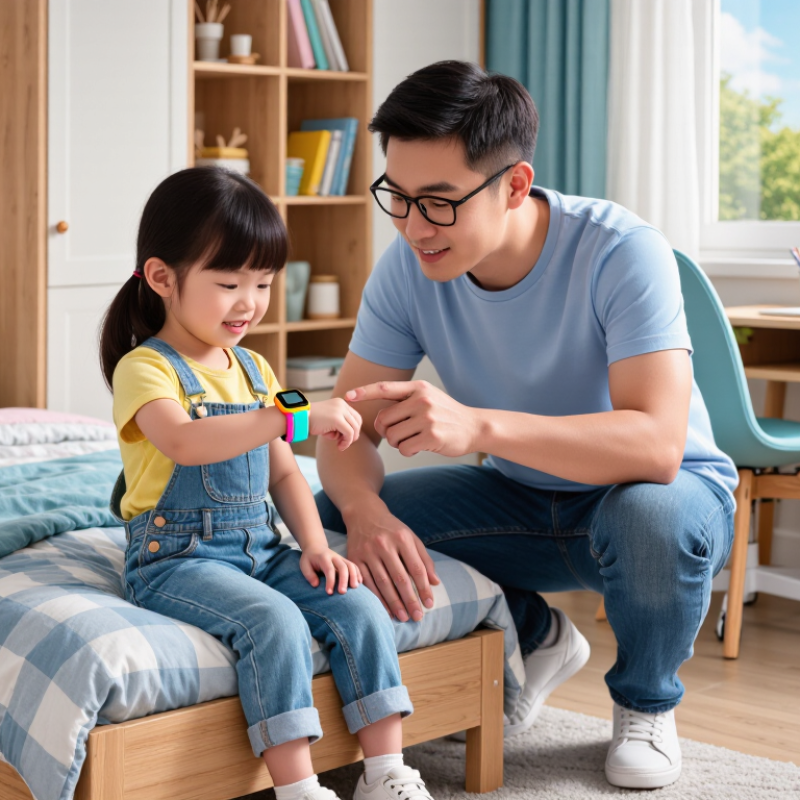
Understanding the Core Features of a Kids GPS Tracking Watch
2026 How to Choose a Kids GPS Tracking Watch?
Understanding the Core Features of a Kids GPS Tracking Watch
A useful kids GPS tracking watch should solve practical problems, not simply look attractive. GPS location works best outdoors, while buildings, tunnels, and dense streets can reduce accuracy. Check whether the device combines GPS with cellular and Wi-Fi positioning. A location that refreshes every few minutes may be more useful than an impressive but unclear accuracy claim.
Battery performance matters during real family routines. A child may leave home at 7:30 a.m. and return after sports practice. Choose a watch that can last through that schedule, including location updates and calls. Charging should be simple enough for a child to remember. Water resistance also deserves attention, especially near sinks, rain, or swimming areas. It is easy to overlook.
Communication features should match the child’s age. Two-way voice messages, approved contacts, and an emergency button can support quick communication. However, an emergency button does not replace adult supervision or emergency services. Test it before relying on it. Geofencing can alert parents when a child leaves school or arrives home, but GPS boundaries may shift slightly. That can create unnecessary alerts.
Privacy controls are equally important. Parents should understand what data is collected, how long it is stored, and who can access it. A strong device should use account protection and allow contact approval. Avoid choosing based only on games, lights, or bright colors. Those features may attract attention, but they do not improve safety. My own judgment would remain cautious: no tracking watch is perfectly accurate, and family communication still matters most.
Assessing Location Accuracy, Safety Alerts, and Communication Tools
How to Choose a Kids GPS Tracking Watch?
Location accuracy should be tested, not accepted from a product page. GPS.gov reports that smartphones can locate users within about 4.9 meters under open skies. Buildings, trees, tunnels, and dense neighborhoods can reduce accuracy sharply. Test the watch near your home, inside a school, and during a short walk. I still make this mistake: checking only outdoor performance. That is not enough. Look for location history, update frequency, and a visible signal status. A reliable watch should show when data is old or uncertain.
Safety alerts need to be specific and adjustable. Useful features include geofencing, low-battery warnings, SOS notifications, and alerts for unusual movement. Avoid systems that send constant false alarms. Parents may eventually ignore them. The National Center for Missing and Exploited Children emphasizes rapid, accurate information during missing-child reports, but a watch cannot replace adult supervision or emergency services. Set safe zones around real places, such as the school gate rather than an entire district. Keep it simple.
Communication tools also depend on network coverage. GSMA’s State of Mobile Internet Connectivity 2023 reported mobile broadband coverage for 95% of the global population, while 39% remained non-users. Coverage exists, but access and reliability differ. Choose two-way voice messages, preset contacts, and clear delivery indicators. Test them when the child is indoors. Voice quality matters more than decorative features. If an SOS message arrives without a location timestamp, its value may be limited. A watch should support calm decisions, not create another screen to monitor constantly.
Comparing Battery Life, Durability, and Child-Friendly Design
A kids GPS tracking watch should survive real childhood, not just a product photo. Battery life matters during school days, weekend trips, and unexpected delays. Check the stated runtime under active GPS use, not only standby mode. Frequent location updates can drain power quickly. A practical choice should last through a full day with some reserve.
Durability also deserves close attention. Look for water resistance, a secure strap, and a screen that can handle small drops. Children may leave the watch on playground floors or bump it against desks. Child-friendly design means simple menus, readable icons, and buttons that are easy to press. A lightweight case reduces discomfort. Yet, smaller is not always better; tiny text can frustrate younger users. I would test the watch on a child’s wrist before deciding.
Tips: Charge it overnight and check its battery each morning. Confirm the location accuracy outdoors and indoors. Test the strap after repeated fastening. Parents should also review privacy settings and limit unnecessary location sharing. Manufacturer claims can sound impressive, but daily testing may reveal weaker performance. That gap is worth noticing.
| Evaluation Dimension | Basic Daily-Use Profile | Balanced Family-Use Profile | Extended-Use Profile | What to Check Before Buying |
|---|---|---|---|---|
| Typical Battery Life | 1–2 days with periodic location updates and limited calling | 2–4 days with moderate GPS, messaging, and activity tracking | 4–7 days when location updates and cellular features are used selectively | Battery performance varies with GPS frequency, mobile signal strength, screen brightness, temperature, and call usage. |
| Charging Time | About 1.5–2.5 hours | About 1.5–2.5 hours | About 2–3 hours because of the larger battery capacity | Choose magnetic or secure-contact charging and check whether the charger is easy for an adult to replace. |
| GPS Location Updates | Usually every 5–15 minutes or on demand | Usually every 1–10 minutes, depending on settings | Usually adjustable from approximately 1–30 minutes to reduce battery consumption | GPS works best outdoors with a clear view of the sky; indoor accuracy can decrease because of walls and signal reflections. |
| Location Accuracy | Approximately 10–50 meters outdoors under favorable conditions | Approximately 5–30 meters outdoors under favorable conditions | Approximately 5–30 meters outdoors, with Wi-Fi or cellular positioning used as a supplement | No consumer GPS watch provides guaranteed pinpoint accuracy in every environment. Review the update interval and map behavior. |
| Water Resistance | Splash-resistant; suitable for hand washing and light rain | Water-resistant for rain, sweat, and accidental splashes; some models support brief shallow-water exposure | Higher water resistance, commonly rated around IP67 or IP68, depending on the device | Water-resistance ratings do not always permit swimming, hot showers, diving, or exposure to salt water. Follow the product instructions. |
| Drop and Impact Protection | Basic plastic case with standard screen protection | Reinforced case, raised bezel, and impact-resistant screen cover | Thicker shock-absorbing frame, protected buttons, and replaceable screen protection | Look for rounded edges, a raised display rim, flexible straps, and spare accessories that can be replaced after damage. |
| Recommended Age Range | Approximately 6–10 years | Approximately 6–12 years | Approximately 8–14 years | Age suitability depends on wrist size, reading ability, independence, and the child’s comfort with wearing a device. |
| Watch Weight | Approximately 35–50 grams | Approximately 40–60 grams | Approximately 50–75 grams because of the larger battery and stronger casing | A lighter watch is generally more comfortable for younger children, while older children may accept added weight for longer battery life. |
| Strap Design | Soft silicone strap with a standard buckle | Adjustable, sweat-resistant strap with multiple fastening positions | Replaceable silicone or woven strap with reinforced attachment points | Check the minimum wrist circumference, strap flexibility, buckle security, and whether the material causes skin irritation. |
| Display and Controls | Small color screen with simple icons and physical buttons | Touchscreen with large icons plus a dedicated emergency or home button | Bright touchscreen, simplified menus, physical shortcut buttons, and adjustable brightness | Large icons, limited menu depth, tactile buttons, and readable text are usually more child-friendly than complex smartwatch interfaces. |
| Calling and Messaging | Preset contacts and short voice messages | Two-way calling, approved contacts, and short voice or text messages | Two-way calling, approved contacts, voice messages, and scheduled communication controls | Prefer contact whitelisting, unknown-number blocking, parental approval, and clear controls for disabling communication during school hours. |
| Safety Features | Location sharing and a basic SOS button | SOS alerts, safe-zone notifications, location history, and low-battery alerts | SOS alerts, adjustable safe zones, location history, scheduled check-ins, and removal alerts | Safety functions depend on cellular coverage, an active service plan, accurate caregiver settings, and the child pressing the correct button. |
| Privacy Controls | Basic caregiver account and password protection | Approved caregiver access, encrypted communication, and configurable location sharing | Role-based caregiver access, two-factor authentication, data deletion options, and detailed privacy settings | Read the privacy policy, check data-retention practices, and avoid sharing the child’s location with unnecessary accounts. |
| Best Fit | Families seeking simple check-ins and occasional location updates | Most families wanting a practical balance of battery life, durability, safety, and comfort | Children who spend long periods away from home or have limited access to charging | Choose based on the child’s routine, local mobile coverage, charging habits, school rules, and the level of supervision required. |
Important: The figures above are realistic comparison ranges for common types of kids GPS tracking watches, not guaranteed specifications for a particular device. Actual performance depends on hardware, network coverage, software settings, weather, usage patterns, and caregiver configuration.
Reviewing Privacy Controls, Data Security, and Parental Access
A kids GPS tracking watch should reveal only what parents genuinely need. The UK Information Commissioner’s Children’s Code recommends turning geolocation off by default. Parents should look for adjustable location sharing, clear history deletion, and separate accounts for each caregiver. A grandparent may need alerts, not continuous movement records. That distinction matters.
Security controls deserve close inspection. The 2024 Verizon Data Breach Investigations Report found that human involvement appeared in 68% of breaches. Strong passwords alone are not enough. Choose multi-factor authentication, encrypted data in transit and storage, automatic session timeouts, and visible login histories. Parents should also control who can export location data. The 2024 IBM Cost of a Data Breach Report estimated the global average breach cost at 4.88 million dollars. A child’s location is not harmless metadata.
Check the privacy policy for retention periods, deletion procedures, and third-party access. Data should disappear when the account closes, not linger indefinitely. Ask whether the watch stores routes locally, in the cloud, or both. Test the controls before daily use: create a temporary caregiver account, trigger an alert, then remove access. I still find some dashboards confusing. That is a warning sign. A child should not be tracked by default, and parents should not need technical expertise to understand access logs. Triangulation can also fail indoors, so treat alerts as helpful signals, not perfect evidence.
2026 How to Choose a Kids GPS Tracking Watch?
Privacy Controls, Data Security, and Parental Access
These legal reference points show when enhanced child-privacy protections or parental consent requirements may apply. COPPA covers online services directed to children under 13 in the United States. Under the GDPR, the default age for a child to consent to certain information-society services is 16, although EU countries may lower it to between 13 and 16. The UK Children's Code applies to online services likely to be accessed by children under 18.
Sources: U.S. FTC COPPA | GDPR Article 8 | UK Children's Code
Choosing the Right GPS Watch for Your Child’s Age and Needs
2026 How to Choose a Kids GPS Tracking Watch?
Choosing the right GPS watch starts with age, not appearance. For children aged four to seven, choose simple controls, a comfortable strap, and one-touch calling. Parents should manage contacts remotely. Small hands struggle with complex menus. A loud school-mode reminder also helps prevent classroom distractions.
Children aged eight to twelve may need safer independence. Look for accurate location updates, geofencing, SOS communication, and dependable battery life.
GPS may become less precise indoors or near tall buildings. Do not treat the map as perfect. The National Institute of Standards and Technology notes that wireless positioning performance varies with signal conditions.
Screen habits also deserve attention. Common Sense Media’s 2021 Census reported that tweens averaged five hours and 33 minutes of entertainment screen media daily. A watch should support communication without becoming another entertainment device.
For teenagers, privacy controls become more important. Pew Research Center’s Teens, Social Media and Technology 2024 report found that 95% of U.S. teens have access to a smartphone. A basic GPS watch may therefore suit younger children, while older teens may need selective location sharing and stronger privacy settings.
I would avoid buying features your family will not use. More tracking can create false confidence, and that assumption deserves regular review.
FAQS
Test it near home, inside school, and during a short walk. Buildings, trees, tunnels, and tall structures can weaken signals. Check location history and update times. The map is not perfect. I still test outdoors too often.
Choose adjustable geofencing, low-battery warnings, SOS alerts, and unusual-movement notifications. Set zones around real places, such as the school gate. Avoid constant false alarms. Too many alerts become background noise.
Test two-way messages indoors, not only outside. Check voice clarity and delivery indicators. Use preset contacts that parents manage remotely. An SOS message should include a recent location time. Small details matter.
Turn location sharing off when it is unnecessary. Use separate caregiver accounts with different permissions. A grandparent may need arrival alerts, not complete movement records. Review access regularly. Less data can be safer.
Look for multi-factor authentication, encrypted data, and automatic session timeouts. Check login histories and export controls. Use a strong, unique password. Passwords alone are not enough.
Check retention periods, deletion procedures, and third-party access. Ask whether routes are stored locally, remotely, or both. Close a temporary caregiver account after testing it. Data should not linger forever. Confusing dashboards need caution.
Choose simple controls, a comfortable strap, and one-touch calling. Parents should manage contacts remotely. A loud school-mode reminder can reduce classroom distractions. Small hands need simple menus.
Prioritize reliable location updates, geofencing, SOS communication, and usable battery life. Test the watch with wet fingers, a backpack, and low light. Indoor accuracy may decline. Do not treat the map as evidence of certainty.
Give greater weight to privacy controls and selective location sharing. Older teenagers may already use another connected device. Avoid paying for features your family will not use. More tracking can create false confidence. That assumption deserves review.
Conclusion
Choosing the right Kids GPS Tracking Watch requires more than simply checking its tracking function. Parents should first understand the core features, including real-time location updates, geofencing, SOS alerts, two-way calling, and messaging options. Location accuracy is especially important, as reliable GPS performance can help families respond quickly when a child leaves a safe area or needs assistance. Communication tools should also be simple and age-appropriate, allowing children to contact trusted adults without unnecessary distractions.
Battery life, water resistance, shock protection, and a comfortable child-friendly design are equally important for everyday use. Parents should also review privacy settings, data security measures, account permissions, and how location information is stored and shared. Finally, the best Kids GPS Tracking Watch should match the child’s age, independence, daily routine, and family safety expectations. A thoughtful comparison of these factors can help parents choose a practical, secure, and easy-to-use device that supports children while giving families greater peace of mind.

Blog Tags: